Microsoft Authenticator App Installation and Use
English-language instructions
Instrucciones en español
To configure the Microsoft Authenticator app, you will need both a smartphone and another device, such as a computer or tablet.
- Download the app to your phone from either the App Store (for iPhones) or the Google Play Store (for Android phones). The app is free and will never require credit card information to use. Follow the instructions to install the app on your phone, but do not open it yet.
- On your computer or tablet, go to Microsoft (https://aka.ms/mfasetup) and sign in with your Wake Tech email address and password.
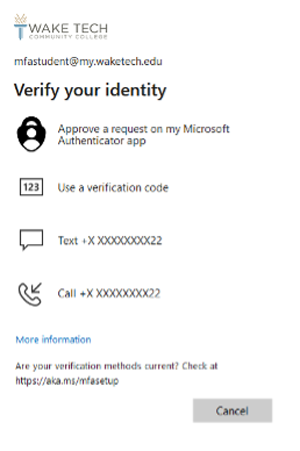
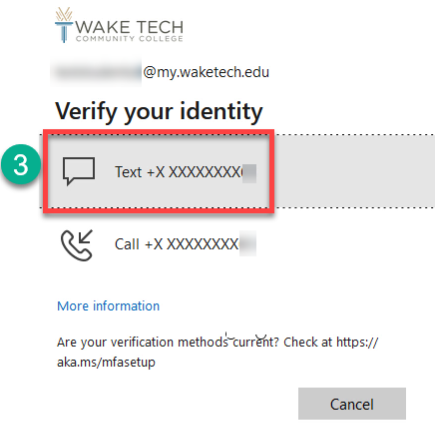
- You will be prompted to verify your identity. Select the option to receive a text to your number. You may also select the option to get a call instead.
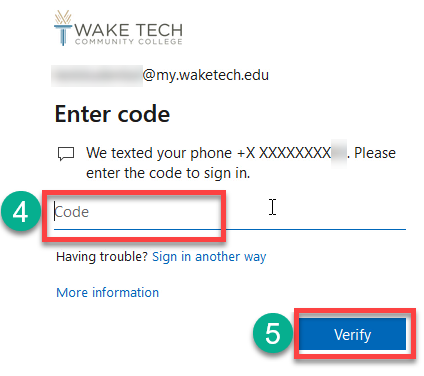
- Enter the verification code sent via text to your mobile phone.
- Click Verify
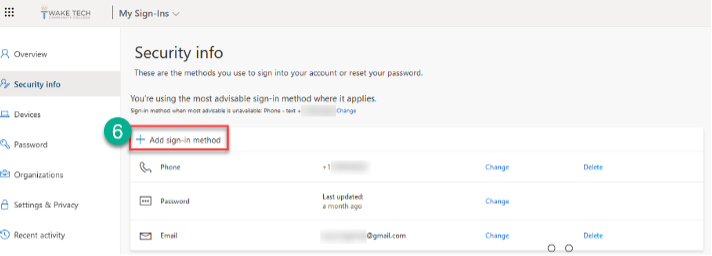
- From the Security Info screen, select "+ Add sign-in method."
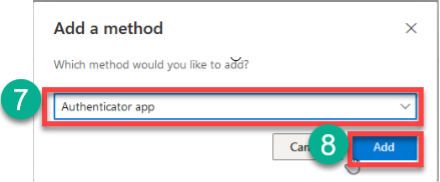
- Select "Authenticator App" from the drop-down menu.
- Click "Add."
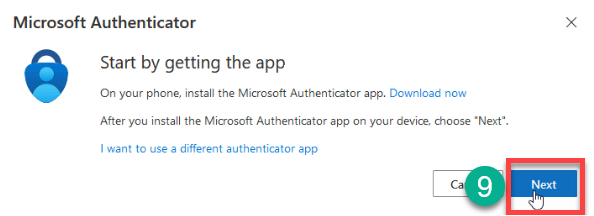
- Click "Next."
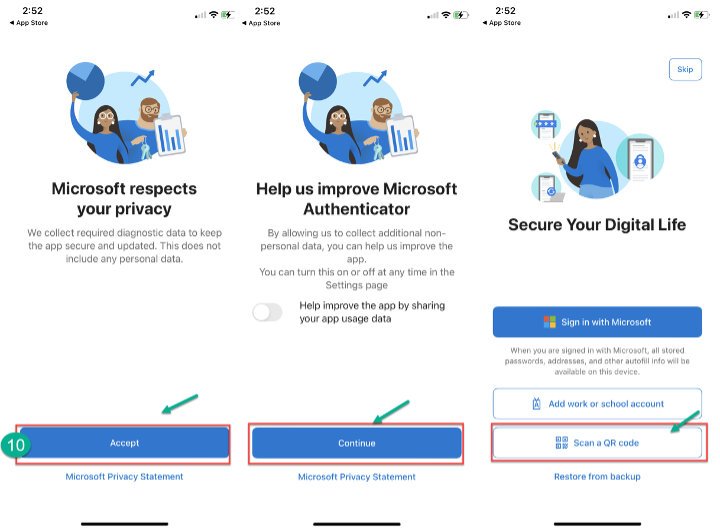
- Open the authenticator app you downloaded to your phone. If the app opens to the following screens, click "Accept," "Continue" and "Scan a QR Code." Then skip to step 11.
But if the app opens and you see a screen like this, click "Add Account," "Continue," "Work or school account" and "Scan QR Code."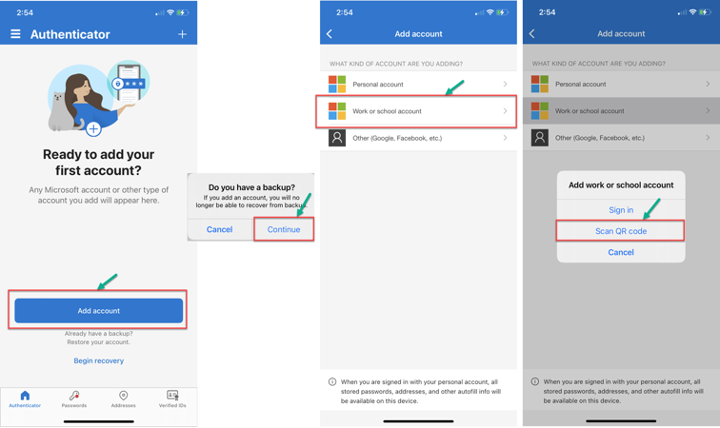
- Click "OK" for the authenticator app to access your phone's camera to scan a QR code. On your computer, you should get the following screen. Click "Next" to start the setup process, and a QR code should display.
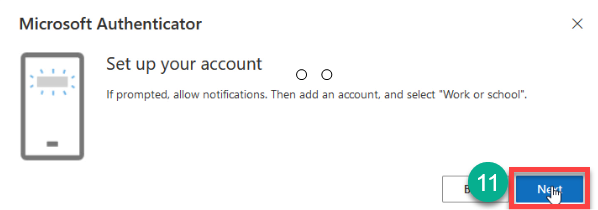
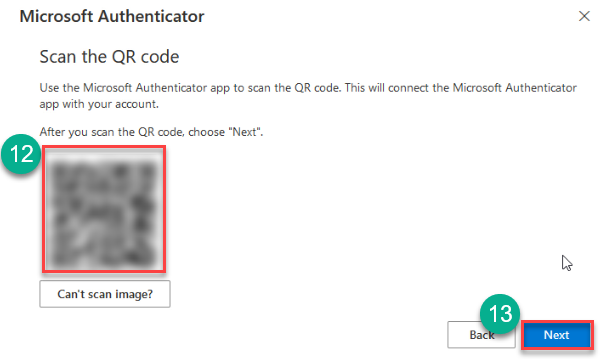
- Scan the QR code on the computer with the phone, which will connect the authenticator app to your Wake Tech account. If the app requests permission to send you notifications, click "Allow."
- Once your phone registers the account, click "Next" on your computer.
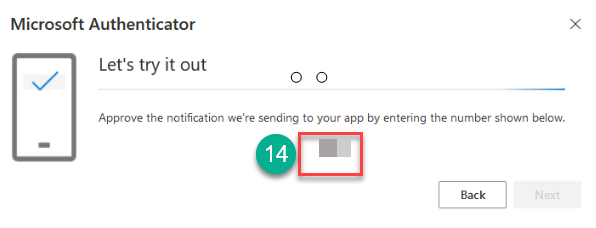
- A number will display on the computer to test that the app works. Enter that number on your Microsoft Authenticator app.
- Click "Next" after it verifies the test was successful.
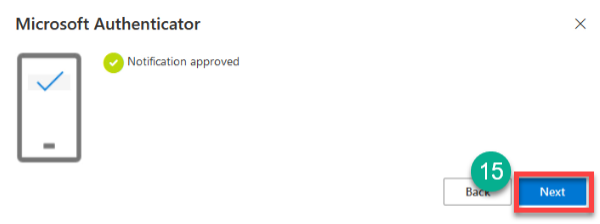
You will receive a message on your computer noting the registration of the app was successful.
Using an authenticator app
Every time you sign into your Key Account, you will get an additional security verification prompt displaying a random number on your computer screen similar to the one below.
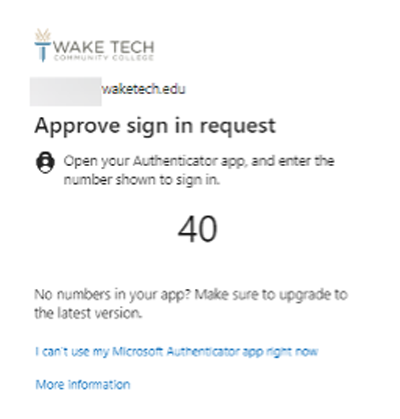
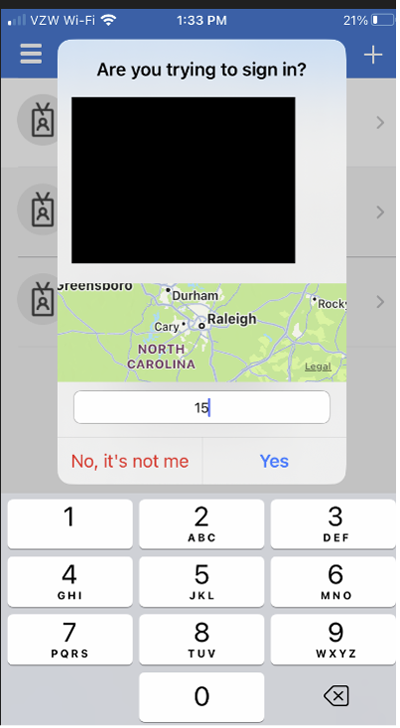
On your phone, tap the notification to open the Microsoft Authenticator App and enter the same number shown on the computer.
If you cannot use the app at that time for some reason, the security verification prompt provides an "I cannot use my Authenticator app right now" option, which allows you to use a different method to verify your identity and access your account.
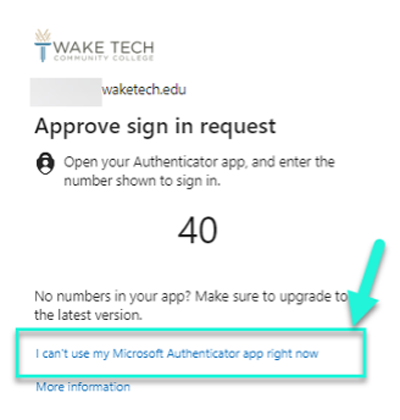
Click on that option, and you will get a list of alternative ways to verify your identity, such as a text or a phone call. Pick any of the methods and follow the prompts.